FR Legends game
0.3.6 Official version
A racing game for racing cars

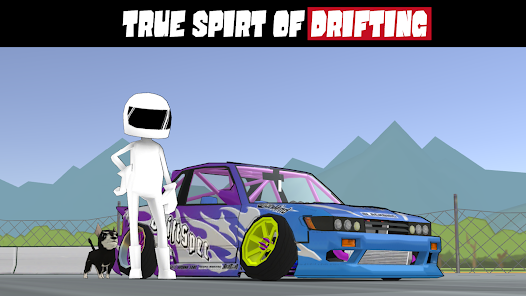
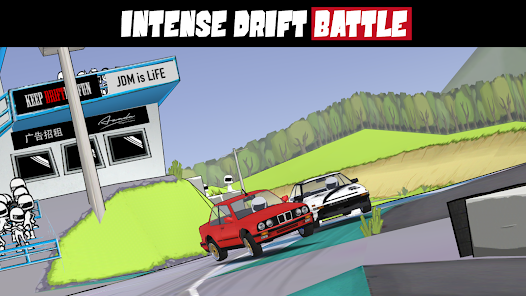
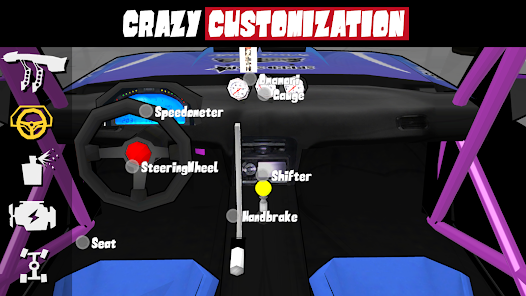
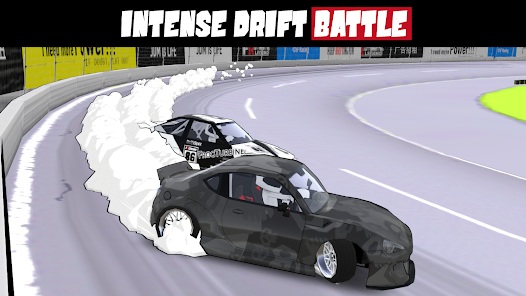
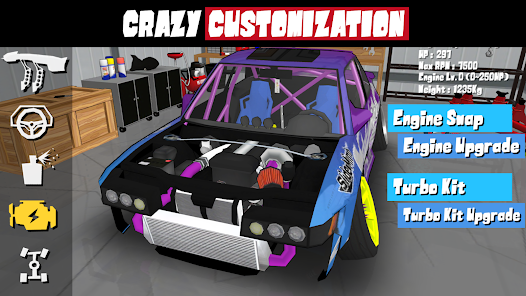
FR Legends is a racing game with drift as its theme. In the game, players can drive various front engine, rear wheel drive (FR) drift racing cars to compete on the world's most iconic tracks. The game allows players to freely customize vehicles, including engine replacements and wide body kits, to create their own strongest racing car.
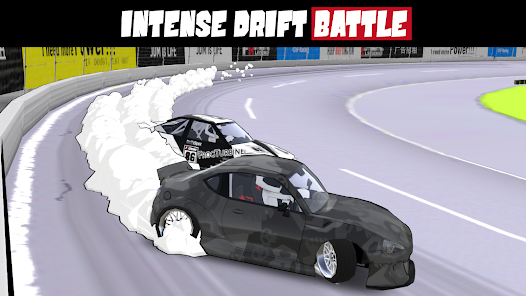
Introduction to FR Legends
FR LEGENDS is drift!
From driving the legendary FR (front engine, rear wheel drive) drift car on the world's most iconic tracks, to everything on custom cars, including engine replacements and wide body kits.
For the first time in history, a mobile game that allows you to engage in a series drift battle with artificial intelligence drivers, based on a unique scoring system based on real-world competition evaluation rules.
Come and experience the drifting spirit and automotive culture at FR LEGENDS!
FR Legends gameplay
1. Vehicle modification
In the game, vehicles are divided into five levels: D, C, B, A, and S. Each level has many different racing cars, and players can spend coins to unlock vehicles of each level. Each car can be upgraded to its attributes through a card kit, including maximum speed, acceleration, nitrogen propulsion, and handling. Players can modify and upgrade according to their own habits or vehicle characteristics.
2. Impact vehicle
In the game, we can also use some techniques to increase the chances of winning, such as crashing the opponent's vehicle, so that the opponent will restart the vehicle and fall behind us. However, it should be noted that it is difficult for small cars to collide with large cars in the game. If we are driving a large car to collide with a small car, then one collision is accurate. Of course, this collision is based on sufficient confidence. If you accidentally pretend to be wrong, you may be at a disadvantage.
3. Turning drift
In the game, we press and hold the left side of the screen with our fingers to brake, and the vehicle's speed will gradually slow down. When we release our fingers, the vehicle will continue to accelerate forward. If we click the brake while turning, the vehicle will enter a drifting state. Remember, just click once and don't keep pressing, so that the speed of the vehicle will not decrease when drifting, and players can also control the direction of drift.
4. Nitrogen acceleration
In the game, vehicles will automatically move forward, and we only need to control the direction of the vehicle. At the top of the screen, there will be a nitrogen bar. Clicking on the right side of the screen or the nitrogen button will cause the vehicle to spray nitrogen to accelerate forward. When the nitrogen bar on the top of the vehicle is consumed in the "red" area, clicking on the nitrogen emission again will stack the nitrogen, and the vehicle speed will be faster.
FR Legends Beginner Tutorial
1. First, open the latest version of the FR Legends game and enter a driver's name.
2. Click on the garage to select your favorite vehicle, most of which require unlocking with money.
3. Click on settings to adjust some image quality, competition information, smoke, display, etc.
4. Choose the mode, which includes mountain racing, Kinkana, tournaments, online gameplay, and more.
5. Here you have chosen to practice, click on the control below the right to directly press the accelerator.
6. Click on the bottom left to brake.
7. Click on the top left corner to activate the handbrake, which can be directly activated for drift.
8. Choose the track to start your challenge.
9. Come and drive your vehicle on an adventure together.
Update instructions
New car
Delete account button
Increase life layer limits
- App Name
- FR Legends
- Version
- 0.3.6
- Size
- 82.49M
- Date
- Oct 22, 2024
- Genre
- Action Games
- Requirements
- Android 8.0+
Similar Apps